Framer review
8.2The modern choice for a marketing site that has to feel alive.
| Ease of use | 7.8 | |
|---|---|---|
| Design | 9.3 | |
| Flexibility | 8.4 | |
| Value | 7.6 | |
| Support | 7.4 |
What's good
- Best-in-class animation and interaction
- Fast modern output
- Designer-native workflow
What's not
- Commerce is thin
- Younger ecosystem than Wix or Squarespace
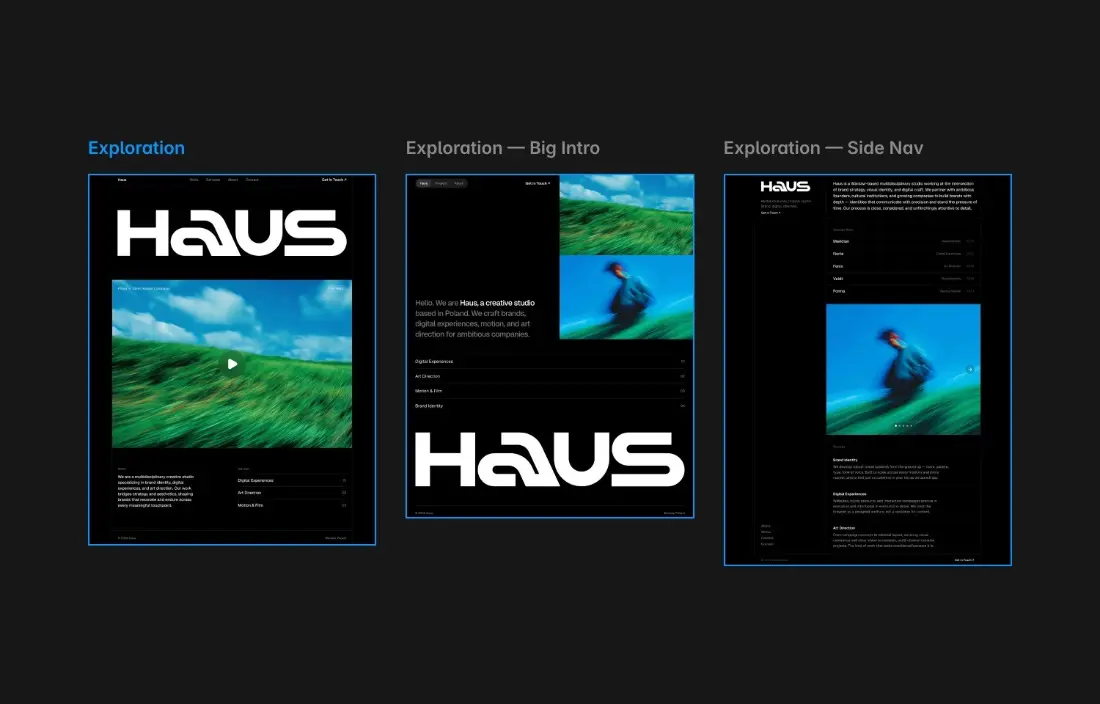
Framer started as a design and prototyping tool and grew into a website builder, and you can feel that history in the best way. Animation, scroll effects and interaction are built in, not bolted on as plugins, and sites come out fast and modern. For a startup homepage or a portfolio that needs to feel alive, nothing in this category does it better.
It is less suited to everything else. There is no proper store, the CMS is capped by plan, and costs rise in steps as your team and your page count grow. Framer is superb at what it is for; just make sure what you are building is that.
Limits you will run into
Basic allows 30 pages and two CMS collections with up to 1,000 items. That is plenty for a portfolio and tight for a company site with a blog and case studies. Pro raises it to 150 pages, ten collections and 2,500 items, and you can buy more in blocks: extra pages at $20 per 100, collections at $40 per 10 and CMS items at $20 per 10,000. Bandwidth overages are forgiven for a month, then you are asked to upgrade.
Pro also adds the things a working marketing team relies on: site redirects, a staging environment and branching with previews. If an SEO migration or a team review process is in your future, you will want Pro regardless of page count.
Design and animation
This is where Framer earns its place. Interactions, scroll-triggered animation and responsive layouts are built into the canvas, and the output is quick to load. Designers coming from Figma feel at home within an hour. The AI features, including agents that can build or edit pages, draw on monthly credits: 1,000 on Basic and 3,000 on Pro, shared across the workspace.
What Framer is not
It is not an online store. You can link out to a checkout or embed one, but there is no native commerce to speak of. It is also not a general-purpose CMS for large content sites: the item caps are generous for marketing, not for a publication. If either of those is central, Webflow, Shopify or WordPress will serve you better.
Pricing
From US$10/mo · Framer pricing
Who it's for
Startup and product marketing sites, launch pages, and anything where motion carries part of the message. Designers moving from Figma find the model immediately familiar.
Who it isn't for
Online stores and content-heavy publishing. Commerce is minimal and the CMS, while good, is not built for large editorial operations.
Limits worth knowing
- Ecommerce is minimal compared with any dedicated platform
- Younger ecosystem and smaller template library
- Page and CMS limits are tied to plan tiers
- Motion-heavy pages need care to stay fast on mobile
Questions people ask
Framer or Webflow?
Framer for marketing sites where motion and speed of build matter, and the designer workflow feels natural. Webflow for structural control, a deeper CMS and larger projects. Framer is quicker to a polished result; Webflow goes further.
Can I build a store in Framer?
Only a simple one. There is basic commerce and third-party integrations, but nothing approaching Shopify or even Wix. If selling is central, choose a commerce platform.
Is Framer good for SEO?
Yes. Pages are statically generated and fast, with full control over metadata and redirects. The usual caution applies to heavy animation, which can hurt Core Web Vitals if used without restraint.
Does Framer export code?
No. You can use custom React components inside Framer, but there is no export of the finished site. Treat it as a hosted platform decision.
The bottom line
Choose Framer for a marketing site, landing page or portfolio where motion and polish are part of the message. Basic is enough for one person; move to Pro once you need redirects, staging or more than 30 pages.
Look elsewhere if you need to sell products, publish at volume, or keep costs flat as your team grows.
Sources
Read next
Compare
All reviews
Some links on PlatformZoo are affiliate links, so we may earn a commission if you sign up, at no extra cost to you. That never affects a score: every tool is scored on the same rubric before any link is added.