Wix review
8.6The safest default if you want the most options and the least friction. You trade portability for speed.
| Ease of use | 9.2 | |
|---|---|---|
| Design | 8.8 | |
| Flexibility | 8.0 | |
| Value | 8.4 | |
| Support | 8.6 |
What's good
- Largest template library of any builder
- Drag-anywhere editor is genuinely freeform
- App market covers almost every add-on
What's not
- Cannot change template after publishing
- Sites are locked to Wix hosting
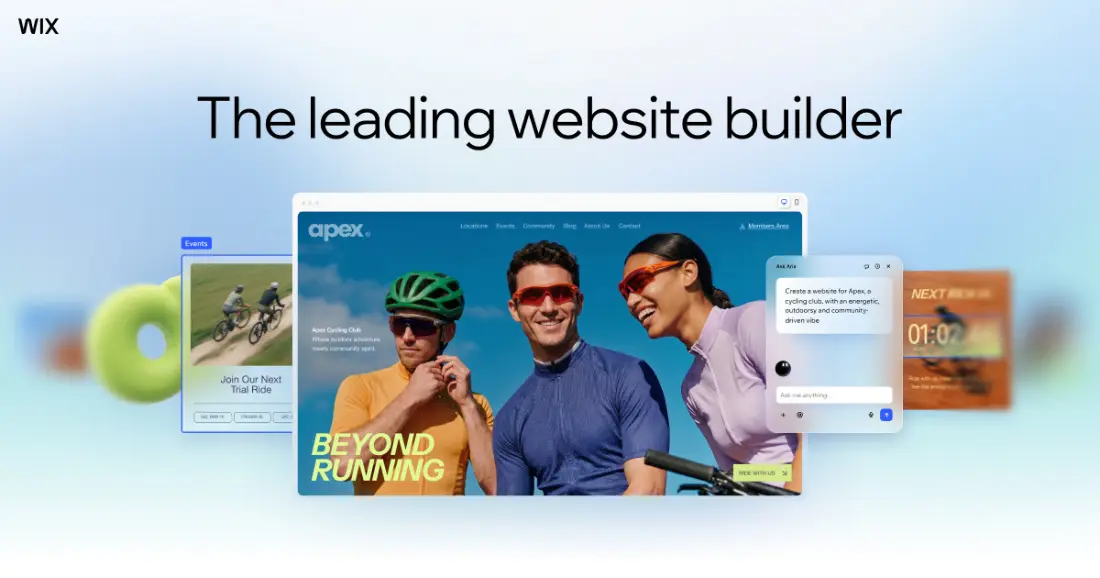
Wix is the builder most people end up on when they want a proper website without learning a design tool. You pick one of more than 2,000 templates or describe the site to its AI, then drag things around until it looks right. The editor is freeform: elements go where you drop them, not into slots.
That freedom comes with two strings attached. Your template choice is permanent once the site exists, and the site lives on Wix for good. Neither is a problem if you choose carefully at the start. Both are painful if you do not.
Pick your template like you mean it
This is the Wix rule that catches people out. Wix's own help centre is blunt about it: it is not possible to switch an existing site to a different template. If you change your mind, you create a new site from the new template and move things across by hand: copying pages and elements, importing media from the Media Manager, then transferring your plan and domain.
Some features move with you, such as the Wix Blog and business email, and some do not. So spend an extra hour choosing. Look at the template on your phone as well as your laptop, check that it has the page types you need, and ignore the demo photos, which do most of the selling.
The editor, and the AI in front of it
You can start from a prompt and let Wix's AI generate a first draft, then switch to the drag-and-drop editor for the details. The AI is a good way to get past the blank page. The editor is where most of the work happens, and it is where Wix earns its reputation: every element is positioned freely, and nothing forces you into a grid.
That same freedom is Wix's main weakness on mobile. Because elements are placed rather than stacked, the mobile version sometimes needs its own tidying, and it is worth checking every page on a phone before you publish.
Selling on Wix
Core, Business and Business Elite all accept payments and include eCommerce at increasing levels, labelled basic, standard and advanced. For a small shop alongside a business site, Core or Business is enough. If selling is the business rather than a feature of it, compare Wix against Shopify on inventory, shipping and marketplaces, not the plan price.
Collaborators and storage
The plans differ in quieter ways that matter once a team is involved. Light allows two site collaborators, Core five, Business ten and Business Elite a hundred. Storage runs from 2 GB on Light to 50 GB on Core, 100 GB on Business and unlimited on Business Elite, which matters if you host video or large image galleries.
Pricing
From US$17/mo · Wix pricing
Who it's for
A small business or personal site where you want maximum control over appearance without writing code, and where the site is unlikely to be rebuilt elsewhere. The template library is the largest here, so there is usually a close-enough starting point for any sector.
Who it isn't for
Anyone who expects to migrate later, or who needs a design system applied consistently across many pages. The freeform editor works against consistency at scale, and there is no export path.
Limits worth knowing
- The template cannot be swapped after the site is published, only rebuilt
- Sites cannot be exported; leaving means rebuilding
- Mobile layout is edited separately and can drift from desktop
- Heavier pages than code-first builders, which costs performance
Questions people ask
Can I change my Wix template after publishing?
No. Wix binds the site to its template at publish, and switching means rebuilding the pages on a new template. Choose deliberately at the start, because this is the constraint people most often regret.
Can I export a Wix site?
Not as a working site. You can copy text and download images, but the layout, structure and functionality stay on Wix. Treat the platform choice as long-term.
Is the free plan usable for a business?
For testing, yes. For a real business, no: it serves a Wix subdomain and Wix branding, neither of which reads as credible to a customer. The Light plan is the realistic floor.
Is Wix bad for SEO?
Not inherently. Titles, descriptions, canonical tags, redirects and structured data are all controllable. The practical risk is page weight from a freeform layout, which affects Core Web Vitals more than any platform-level limitation.
The bottom line
Wix is the safest general-purpose builder for someone who wants a good-looking site quickly and does not want to learn a design tool. Choose Core if you need to take payments, Light if you truly do not, and take your time over the template, because you cannot swap it later.
Choose something else if you know you will want to move the site to your own hosting one day, or if you want a design system that forces consistency instead of freedom.
Sources
Read next
Compare
All reviews
Some links on PlatformZoo are affiliate links, so we may earn a commission if you sign up, at no extra cost to you. That never affects a score: every tool is scored on the same rubric before any link is added.